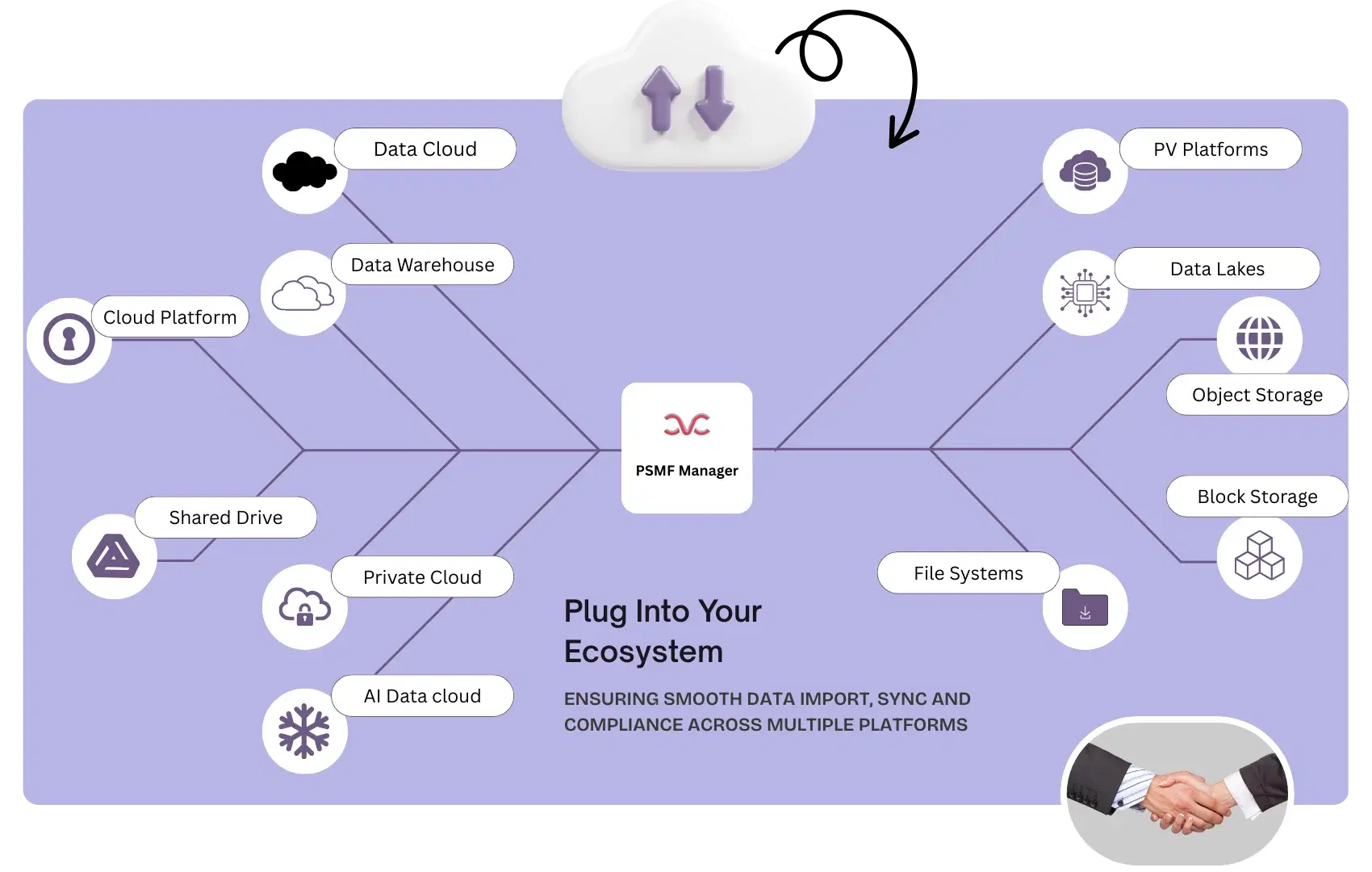
Why are external integrations important in maintaining the PSMF?+
Up-to-date PSMF content depends on several data inputs from multiple systems and repositories. If those systems reflect changes but the PSMF is updated manually later, the obsolete data can quickly fall out of sync with the actual pharmacovigilance system. That is where many compliance problems begin- especially if there is an audit or inspection before the updates are reflected correctly.
By connecting the PSMF workflow to the places where source data actually changes instead of treating the PSMF as a static file updated manually from time to time, PSMF Manager supports automated PSMF updates driven by real operational changes. It removes the need to keep checking separate systems, track revisions to files manually, and update information by hand. As a result, PSMF Manager reduces effort, but more importantly, it reduces the risk of missing critical changes that should have been reflected in the PSMF to keep it audit-ready.
What kind of external data sources can PSMF Manager connect to?+
PSMF Manager can connect to various systems having webhooks and open APIs depending on the settings of the external system, with minimal help if required from client technical support. The platform is designed for pharmacovigilance system integration with external data sources and document repositories that feed the PSMF with content. The purpose is to automatically synchronize relevant updates from various systems into one controlled platform rather than relying on manual monitoring across various systems and repositories and them a corresponding update into the PSMF.
What happens when a file changes in an external data source?+
The PSMF Manager receives backend notification with every updated file in the linked system and it then automatically creates a corresponding change request for review inside PSMF Manager; alternatively, when auto-update is enabled, PSMF Manager directly copies the updated file(s) into the PSMF and logs the change into Annex I, simultaneously creating an audit trail of each update. That means updated source content does not just sit in another repository unnoticed, but it enters a controlled review workflow tied to the PSMF. The update in integrated external system is auto-detected by PSMF Manager as per Client configurations or default setting of screening every 24 hours.
How do integrations improve inspection readiness?+
They reduce the inherent lag between source information change and PSMF review cycles. Instead of waiting for periodic manual checks, PSMF teams get notified that the system has identified an updated source file, logged the event, and raised the update for action or logged it into the PSMF Manager directly, with the associated audit trails. That makes real-time compliance data much more achievable. Teams can demonstrate when required that the system auto-detected the source change, created a review item, notified the users as per workflows, and recorded the outcome accurately. That is far more inspection-ready than stating that the team was expected to notice the update manually during stipulated periodic updates.
Does the system maintain an audit trail for synchronized updates?+
Yes. Updates triggered from integrated external data sources are logged in the PSMF Manager with real-time audit trails, keeping all the obsolete files preserved in the system as part of controlled synchronization. This helps teams prove not only that a change was seen, but that it was handled in a fully traceable way, and that no data was lost while doing so. When auto-updates are switched on, the PSMF Manager automatically updates the most current file(s) and retains accurate logs reflecting the edits made, detailing all aspects of the audit trail, including who did what, when, where and why.
How are users notified when source data changes?+
Users can receive immediate alerts when an integrated source file is updated. They are also able to view the changes requested, and see the automated change logs created as a result of the updated information from the external source present within the Section or Annexure. This avoids the common problem where teams discover too late that important PSMF-supporting content changed weeks earlier in another system, all while reducing manual effort for PV teams. Source updates are brought into the platform as a managed input to the PSMF workflow, thus ensuring human review/ approval remain part of the process.