
A Regulatory Request Should Trigger Retrieval, Not Assembly
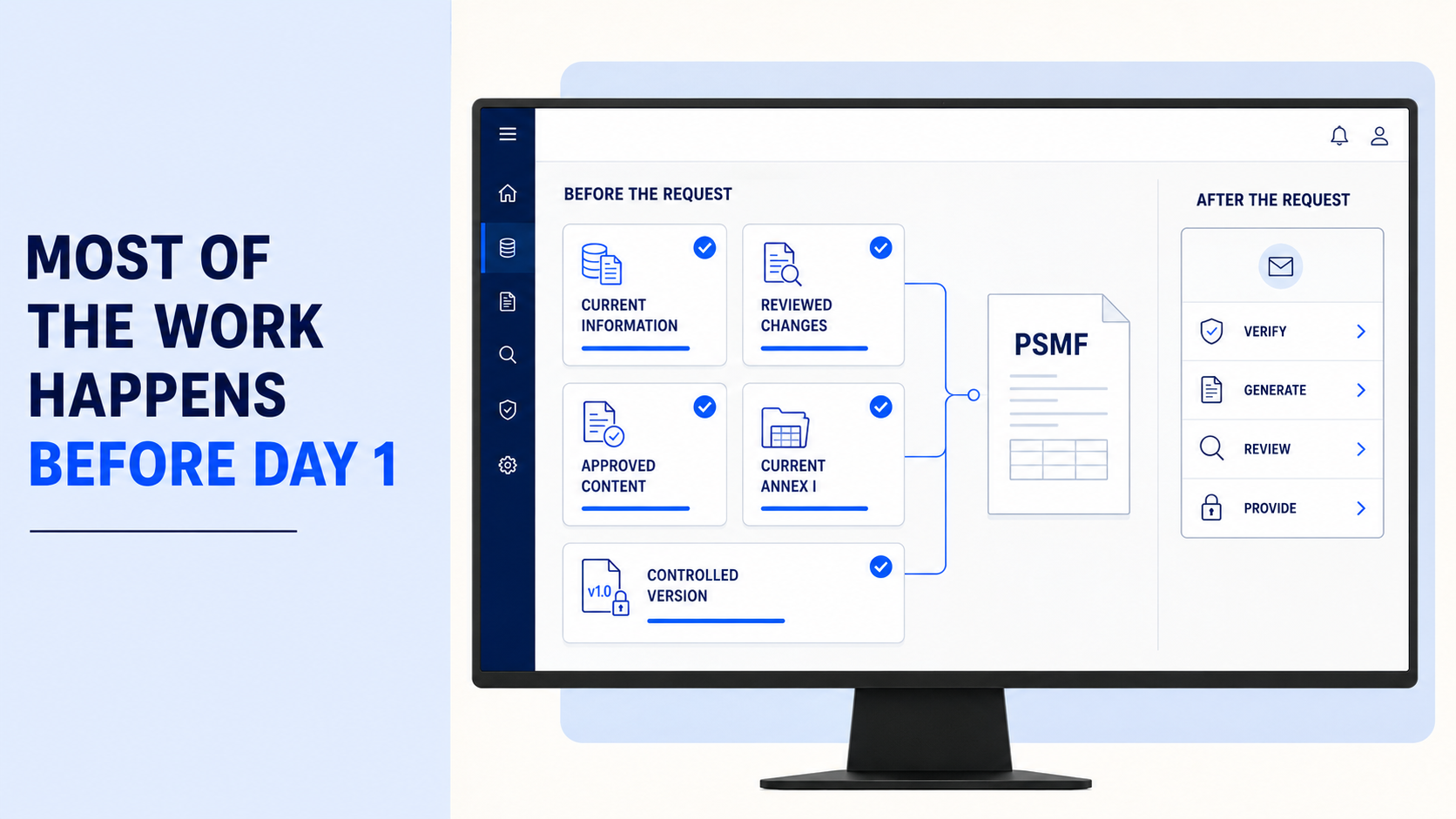
A regulatory request should trigger retrieval and verification, not the start of document assembly.
Yet this is where pressure often builds. Which version is approved? Are the Annexes current? Has Annex I been updated? Are there pending changes? Is the final file ready to produce?
EMA states that the PSMF should remain permanently available for inspection and be provided within seven days when requested.
The important point is that automated PSMF generation does not create readiness on its own. It works when the controls behind the generated document are already working.
Key Takeaway: The seven-day window should be used to verify and respond, not rebuild the PSMF. Automation helps when the content is already current, approved, traceable, and ready to generate.
The 7-Day Rule Should Test Readiness, Not Start the Work
We have covered the regulatory requirement itself in detail in The 7-Day Rule in Pharmacovigilance.
For automated generation, the more useful question is different:
What should already be under control before the request arrives?
EMA requirements state that PSMF information must accurately reflect the pharmacovigilance system in place. The PSMF and its Annex must be subject to version control, while records must be indexed and archived for accurate and ready retrieval.
That means a fast PDF is useful only when the state behind it can be trusted.
Seven Controls That Need to Work Before You Click Generate
| Sr. No. | Control | What It Prevents During the Response Window |
|---|---|---|
| 1 | Generate from approved content | Draft or unapproved information entering the generated PSMF. |
| 2 | Preserve version history | Uncertainty about which approved PSMF applied at a particular point in time. |
| 3 | Keep Sections and Annexes aligned | Finding inconsistencies between the narrative and supporting Annexes during final review. |
| 4 | Maintain Annex I as changes happen | Reconstructing Change Log history after the request arrives. |
| 5 | Connect external source changes | Searching separate systems to determine whether an important update was missed. |
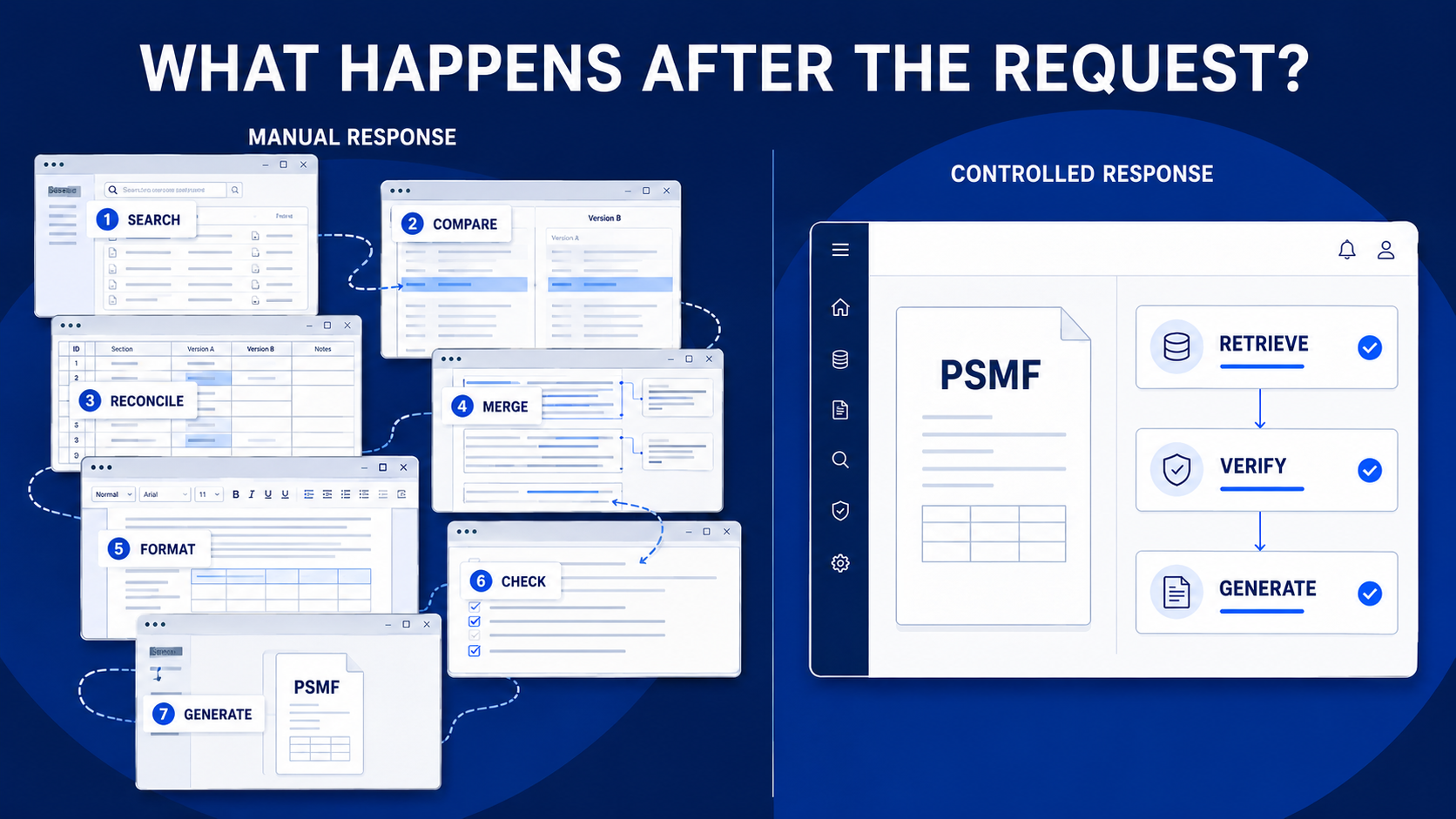
| 6 | Standardize PSMF generation | Manually merging content, creating bookmarks, checking structure, and fixing formatting. |
| 7 | Control release and retrieval | Confusion about which generated document is final and where the approved record is stored. |
PSMF Manager's PSMF Generation capability compiles the latest approved system content into a read-only PDF with Sections, Annexes, and Annex I Change Log information.
Run This Test Before an Inspector Does
A simple internal exercise can tell you more than another feature demonstration.
Choose a PSMF and ask the team to:
- Identify the current approved version.
- Retrieve the previous approved version.
- Confirm that recent changes are reflected in the relevant Sections and Annexes.
- Check the related Annex I entries.
- Generate the current PSMF without manually rebuilding the document.
Now observe where the team leaves the controlled system.
Do they open a spreadsheet to check an Annex? Search an inbox for approval? Compare two Word files? Ask someone which version is final?
Those extra steps show where the response process can still slow down.
For a deeper distinction between historical state and activity records, see PSMF Version History vs Audit Trail.
What Automated Generation Should Never Be Asked to Fix
Automation can remove document assembly. It cannot correct weak PSMF control.
A Generate button should not be expected to fix:
- Outdated source information
- Pending or unapproved changes
- Missing Annex I entries
- Unclear version history
- Misaligned Sections and Annexes
- Missing review evidence
EMA requirements also state that electronically stored PSMFs must remain readable over time and capable of being produced in a clearly arranged form for audit or inspection.
So the real value of PSMF generation software is not simply speed.
It is the ability to turn an already controlled PSMF state into a consistent, retrievable output without introducing another manual publishing process.
A Quick PDF Version Is Not the Final Goal
The strongest automated PSMF generation process leaves very little to reconstruct after a request arrives.
The content has already been reviewed. Annex I already reflects the change history. The approved version is clear. The underlying information can be traced. Generation simply brings that controlled state together.
That is when seven days stop feeling like a document-production deadline and become what they should be: time to verify, respond, and provide the right record.
See What Happens Before the Generate Button
Reliable automated generation starts with controlled content, clear version history, current Annexes, and an established approval process.
Request a Demo to see how PSMF Manager turns approved PSMF information into a structured, ready-to-review document.